

Service requests
The request portal is where employees ask for help and follow their requests. Open it under My work → Portal.
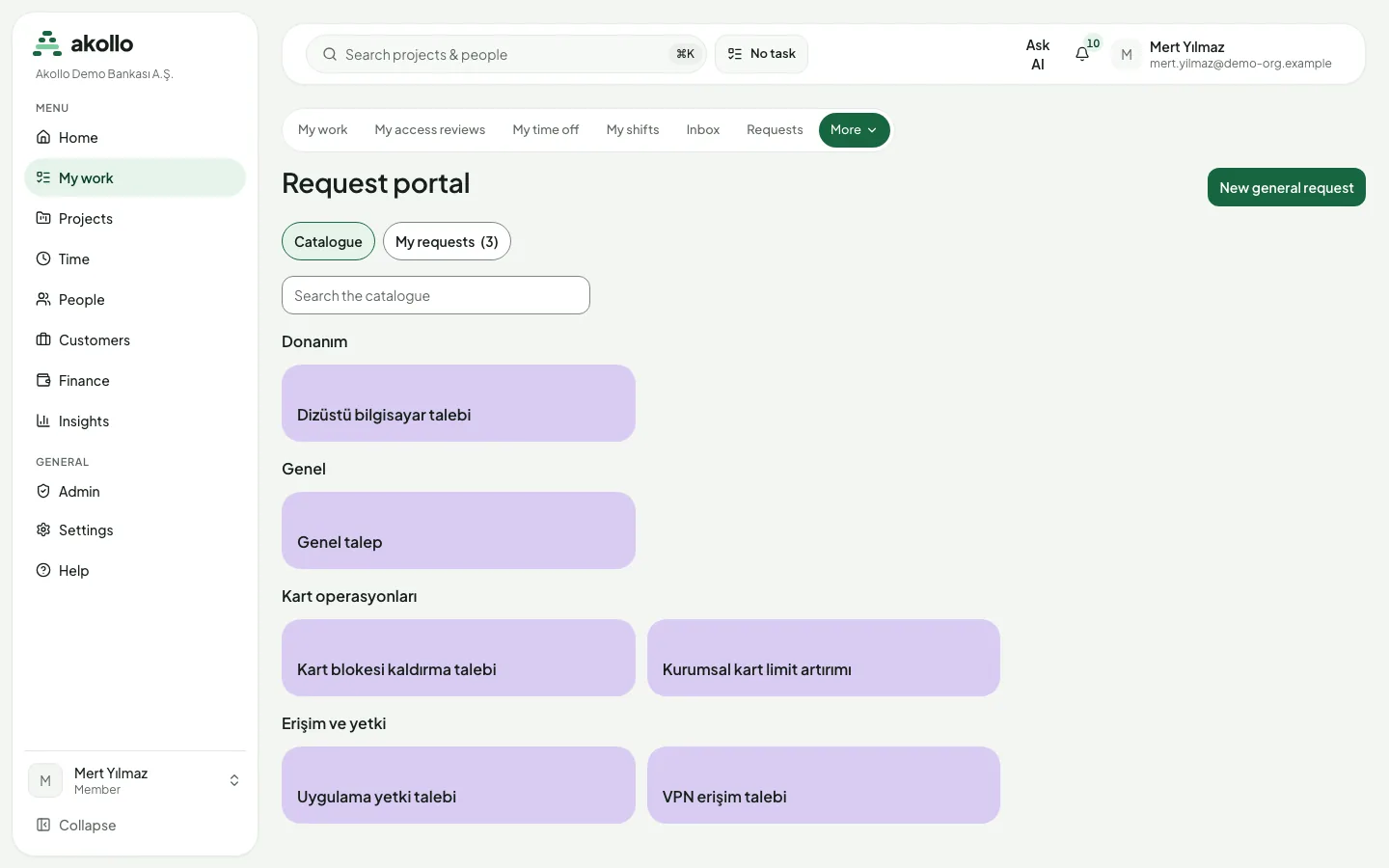
Opening a request
The Catalogue lists the services you can request, by name and category, with a search box. Some catalogue items are offered only to certain departments or roles; items you are not eligible for do not appear.
Open the portal
Choose My work → Portal. The Catalogue tab opens.
Find the service
Browse the categories or type in Search the catalogue, then open an item to see its request form.
Fill in the form
Fill in the fields. Required fields are marked.
Submit
Select Submit request.
Note
Where your request goes
A submitted request goes to the queue it matches. If that queue has an assignment rule, the request is assigned to an agent straight away.
Following your requests
My requests lists the requests you opened with their subject, reference and status. A request’s page shows its status and description, and lets you:
- add comments;
- attach files;
- once it is resolved, rate the help you received and add a note.
| Status | Meaning |
|---|---|
| New | The request has been submitted |
| In progress | Someone is working on it |
| Waiting | The request is on hold |
| Resolved | The help has been given; you can rate it |
| Closed | The request is finished |
Tip
A support session can look at the portal but cannot submit, comment or attach anything.
Business calendars
Administrators who configure the service desk can define business calendars through the API. A calendar holds:
- a time zone;
- weekly working hours;
- the end time of half days;
- a list of holidays.
When the HR module is in use, the holidays of an organisational unit are taken from its HR holiday calendar and combined with the calendar’s own days. Each change is published as a new version that starts now or later; published versions never change. Calendars are not yet used to measure response times.
Not yet available
The service desk side (queues, assignment, triage and escalation for the teams that handle requests) has no pages yet.
FAQ
Some catalogue items are offered only to certain departments or roles. Items you are not eligible for do not appear in your catalogue.
The item has no published form yet. Until a form is published, the item cannot be requested, and the page says so.
Yes. Open the request under My requests to add comments and attach files.
Once the request is resolved. Only the person who opened the request can rate it, and you can add a note.
Not yet. Calendars can be defined through the API, but they are not yet used to measure response times.
Institutional security and control
Planned: installation, data leaving the institution, retention, deletion checks, SIEM forwarding, incidents, findings and control mapping.
Frequently asked questions
Answers on access, time and corrections, screenshots, connections, modules and notifications in Akollo.