

Webhooks
Webhooks move events between Akollo and other systems as they happen. Inbound webhooks let another system notify Akollo. Outbound webhooks let Akollo notify another system.
Inbound webhooks
Integrations → Inbound creates an endpoint where a provider can send webhooks.
Choose the purpose
Pick a Purpose: Provider webhook, Automation trigger or Microsoft Graph lifecycle.
Choose the verifier
Pick a Verifier: Standard Webhooks, Jira (HMAC), Slack (v0 signature), Microsoft Graph (clientState) or GitHub. A method other than Standard Webhooks asks for the Provider secret the provider gave you.
Link a connection (optional)
Optionally choose an active connection the endpoint belongs to.
Create the endpoint and store the details
Choose Create endpoint. The Receiver URL, and for Standard Webhooks the signing secret, are shown only once. Give the receiver address to the provider and store the secret safely.
The list shows when each endpoint last received a delivery. It counts rejected deliveries by reason (signature, replay or size) without showing the delivery itself. You can disable an endpoint and enable it again with a reason.
Outbound webhooks
Integrations → Webhooks sends this organisation's events to another system. An endpoint has:
- an https address;
- the event types to send;
- whether to send the full record or only a reference.
The signing secret is shown once. The list shows each endpoint's address, events, state and delivery success over the last 24 hours.
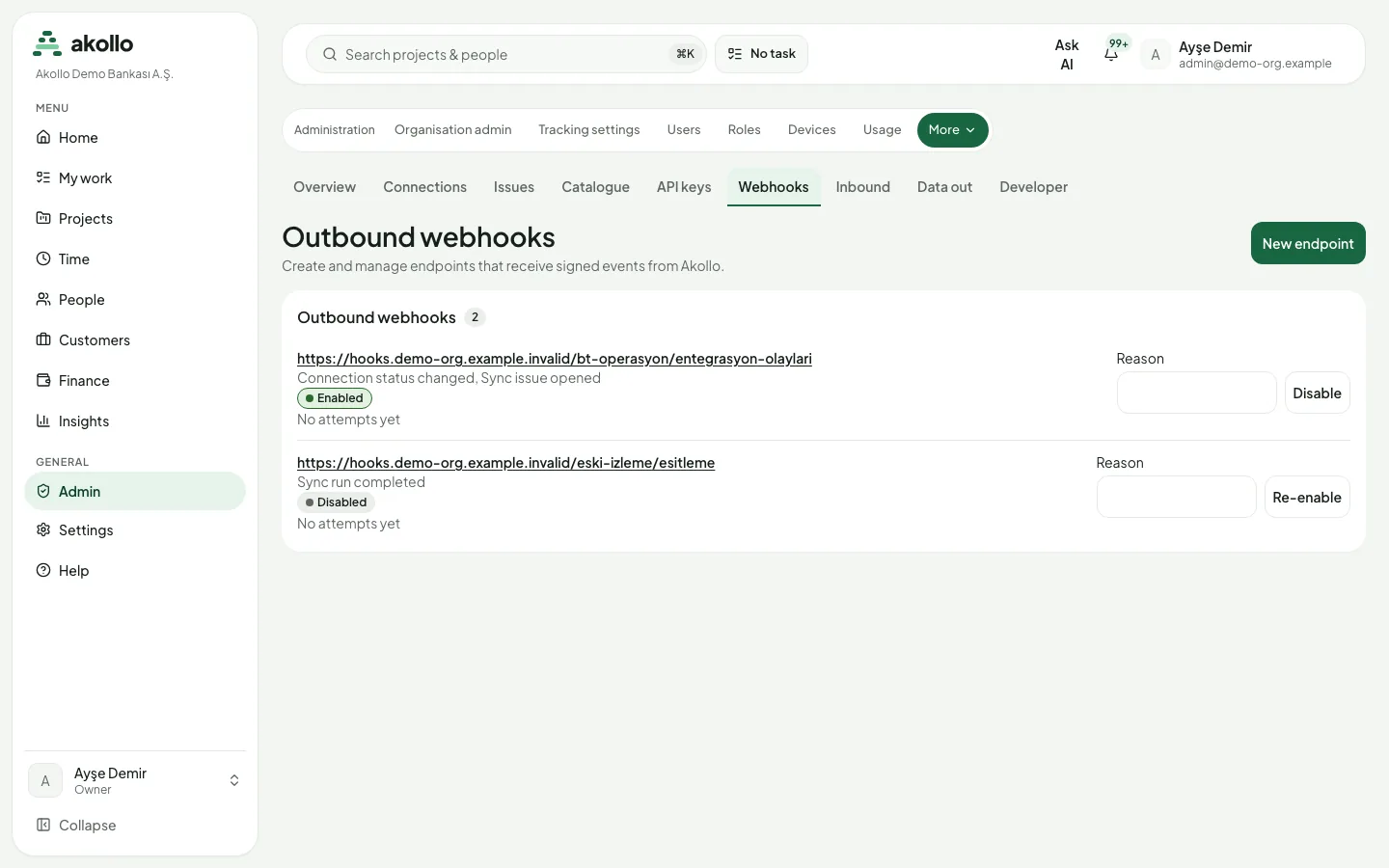
An endpoint's page shows its message log with filters and the delivery attempts of each message. From there you can:
- replay one or several messages;
- recover everything sent since a chosen time, up to 30 days back;
- send a test event;
- rotate the signing secret; the previous secret keeps working for 24 hours.
A failing endpoint shows when it started failing and when it will disable itself. An endpoint can be disabled with a reason and re-enabled; it cannot be deleted.
Note
In this release outbound delivery is not switched on yet. The pages do not offer creating an endpoint, sending a test event, replaying messages or recovering since a time.
FAQ
No. Signing secrets are shown once. For an outbound endpoint you can rotate the secret; the previous one keeps working for 24 hours.
No. The list counts rejected deliveries by reason (signature, replay or size) but does not show the delivery itself.
No. You can disable it with a reason and re-enable it later.
Up to 30 days back from the time you choose. In this release outbound delivery is not switched on yet.
Related pages
API and keys
Other systems reach Akollo through the public API with an API key. Create, approve, roll and revoke keys, and learn how requests, retries and limits work.
BI datasets
Read reporting datasets, such as approved hours per person and day, into Power BI, Tableau or Looker Studio over the public API.